15 Applicant Tracking System Best Practices for ATS Success
Most resumes never reach a human recruiter. They get filtered out by software before anyone reads a single line. If your applications keep disappearing into the void, there's a good chance you're not following core applicant tracking system best practices, and the ATS is screening you out before your qualifications even matter. That's not a design flaw; it's how modern hiring works.
At Olibr, we built an ATS with AI-powered candidate matching that analyzes resumes far beyond simple keyword checks. We see firsthand how candidates format, phrase, and structure their applications, and where they consistently go wrong. That puts us in a unique position to show you exactly what works on the other side of the screen.
This guide breaks down 15 proven practices to help you format your resume, optimize your keywords, and structure your application so it clears the ATS filter and actually lands in front of a recruiter. No guesswork, just specific, actionable steps you can apply right now.
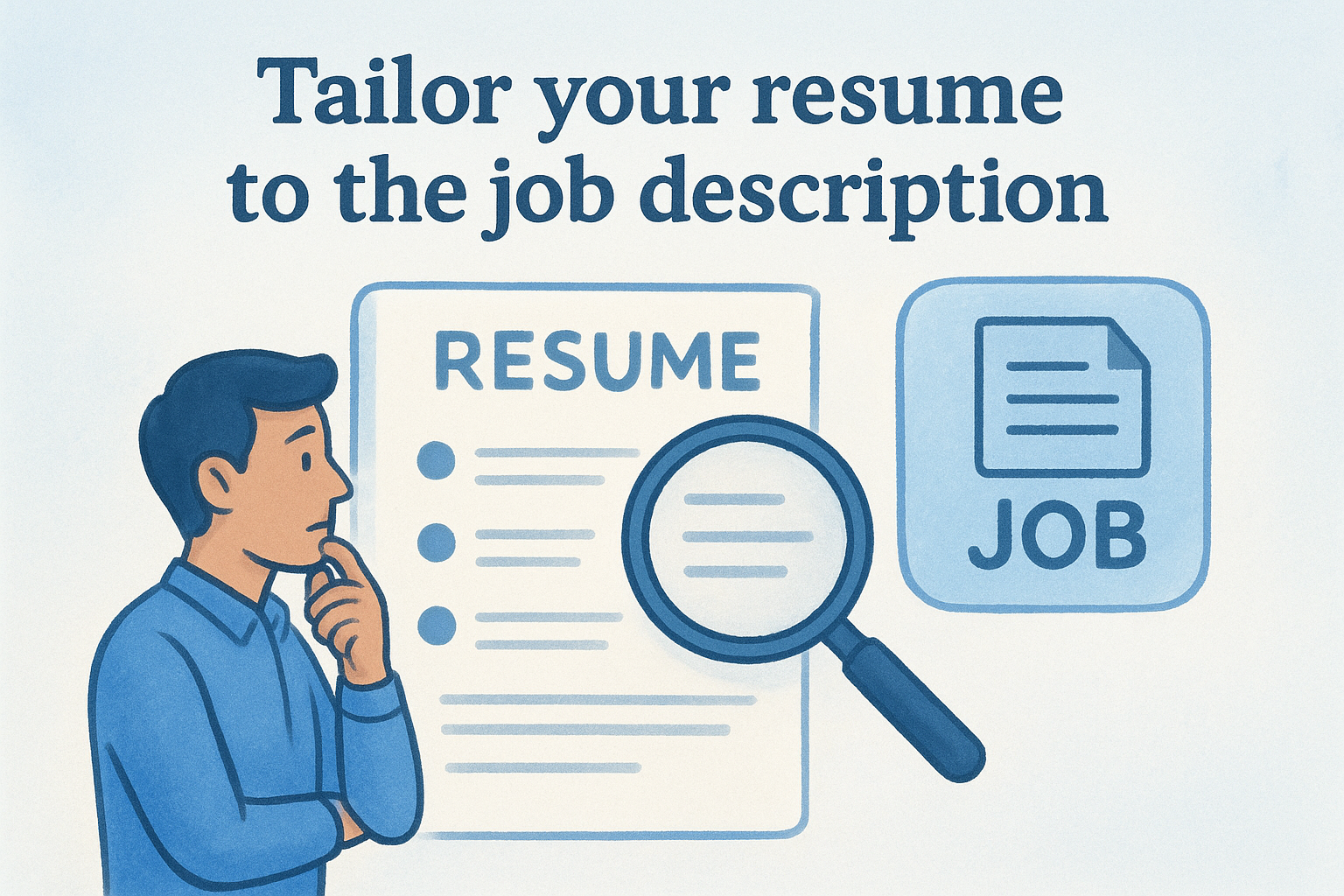
1. Tailor your resume to the job description
Sending the same resume to every job is one of the fastest ways to get filtered out. An ATS scores your resume against the specific job description, and a generic resume will almost always rank lower than one that mirrors the language and requirements in the posting. This first step is the foundation of all applicant tracking system best practices, and skipping it undermines everything else you do.
What to do
Read the job description line by line and pull out the skills, tools, and requirements that appear most often. Then rewrite your resume's bullet points and summary to match that exact language. You do not need to rewrite your entire work history. Focus on aligning your phrasing with what the employer actually wrote. Prioritize the top five to eight keywords that appear repeatedly, and make sure each one shows up naturally in your resume where your experience supports it. If the role lists specific tools or methodologies, use those exact terms, not informal shorthand or alternate names.
Why it works in an ATS
ATS software compares your resume text against the job description to generate a relevance score. The higher that score, the more likely your profile surfaces to a recruiter. When you use the same terminology the employer used, the system registers a direct match. If you write "people management" but the posting says "team leadership," those phrases may not register as equivalent, even though they mean the same thing.
The ATS does not interpret meaning; it matches text. Use the employer's words, not your own preferred phrasing.
Common mistakes to avoid
Many candidates list skills in a way that does not reflect the job posting's language. Another frequent error is stuffing keywords into a skills section without supporting them in the experience section. An ATS can flag keyword overuse, and a recruiter reviewing your resume afterward will immediately notice the disconnect.
- Do not copy and paste the job description directly into your resume
- Do not list a skill only once if it is central to the role
- Do not use synonyms when the posting specifies a particular term
Quick example
If a job posting asks for "Python scripting for data pipelines" and your resume says "automated workflows using Python," the ATS may score your resume lower. Rewrite the bullet to say "built Python scripts for data pipelines" and you directly align with what the system is scanning for, improving both your match score and your credibility with the recruiter who reads it next.
2. Use standard resume section headings
An ATS is designed to locate specific sections of your resume quickly. When you use unconventional or creative headings, the system often cannot categorize the content under them, which means your work history, skills, or education may go completely unread by either the software or the recruiter.
What to do
Stick to the headings that every ATS recognizes. Use these exact labels, or very close variants, throughout your resume:
- Work Experience (or "Professional Experience")
- Education
- Skills
- Summary (or "Professional Summary")
- Certifications
Avoid clever alternatives like "My Story" or "Where I've Been." These confuse the parser and bury your qualifications before anyone sees them.
Why it works in an ATS
ATS software uses pattern recognition to locate and extract information from your resume. Standard headings act as clear markers that tell the system exactly where each category of data begins and ends. When those markers are missing or unusual, the parser either skips the section entirely or misfiles your content under the wrong category.
Recruiters rarely see parsing errors; they just see an incomplete profile, which looks like a thin resume.
Common mistakes to avoid
The most common error candidates make is renaming sections to stand out creatively, which only lowers their ATS score. A few specific swaps to avoid:
- "Expertise" instead of "Skills"
- "Career Journey" instead of "Work Experience"
- "Academic Background" instead of "Education"
Quick example
If you label your work history "Professional Journey," some ATS platforms will not recognize it as experience data. Rename it to "Work Experience" or "Professional Experience" and the system immediately knows where to look. Your job titles, employers, and dates then get parsed correctly, which keeps your profile competitive against other applicants following applicant tracking system best practices.
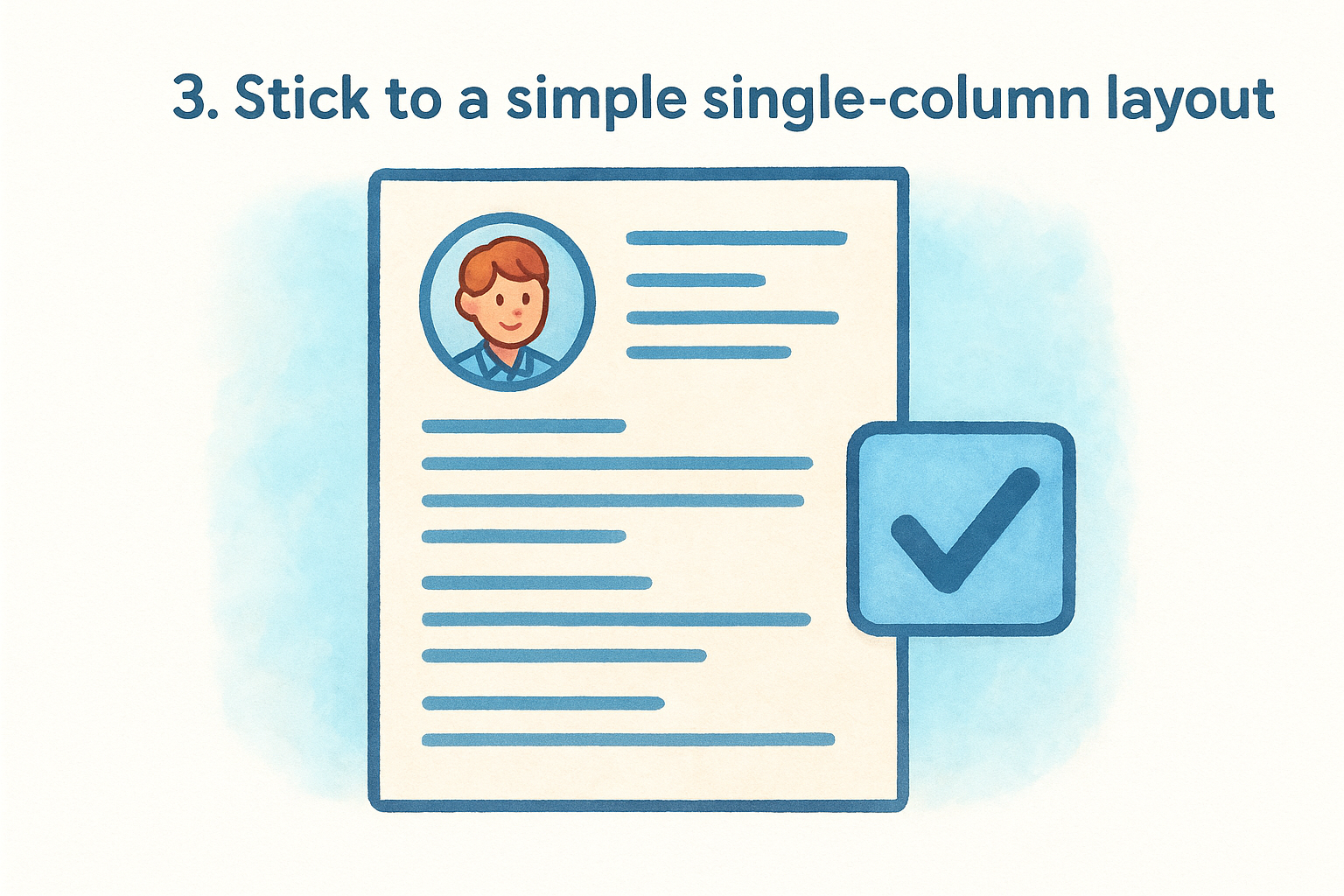
3. Stick to a simple single-column layout
Resume design trends push candidates toward multi-column layouts, sidebars, and visual dividers to make their applications look polished. Unfortunately, those designs consistently fail in an ATS. Most parsers read your resume left to right, top to bottom, treating it like plain text. When content appears in side columns or split sections, the system scrambles the order of your information, and what reaches the recruiter looks like a jumbled mess.
What to do
Format your resume as a single continuous column with all content flowing from top to bottom. Set your margins between 0.5 and 1 inch on each side. Keep all text in the main body, with nothing sitting in a sidebar or parallel column. If you are working from a template in a word processor, check that the layout uses one text column, not a table structure with multiple cells.
Why it works in an ATS
A single-column layout gives the ATS a clear, linear reading path with no ambiguity about where one section ends and another begins. The parser pulls your text in the correct sequence, which means your job titles stay attached to the right employers, your dates land in the right fields, and your skills get categorized correctly.
A visually impressive resume that the ATS cannot parse is effectively a blank page.
Common mistakes to avoid
Many resume templates marketed as "ATS-friendly" still use hidden table structures to create a single-column appearance, which causes parsing errors. Avoid these specific layout choices:
- Side columns for skills or contact info
- Text boxes placed beside your main content
- Divider lines created with table borders
Quick example
If your contact details sit in a left sidebar and your summary sits in the right column, the ATS may read them as one merged block of text. Moving everything into a single top-to-bottom column eliminates that problem immediately and keeps your resume aligned with core applicant tracking system best practices.
4. Use ATS-safe fonts and consistent styling
Font choices and styling decisions that look sharp in a PDF can cause serious parsing problems inside an ATS. Decorative typefaces, inconsistent sizing, and styled text elements often confuse the parser and distort how your information gets read.
What to do
Choose standard serif or sans-serif fonts throughout your resume. Reliable options include Arial, Calibri, Garamond, and Times New Roman. Keep your body text between 10 and 12 points and your section headings between 12 and 14 points. Apply formatting like bold and italics sparingly, only to highlight headings or job titles, not to decorate regular text.
Why it works in an ATS
ATS parsers extract text from your resume file character by character. When you use a non-standard font, the system may substitute unknown characters or skip text entirely. Consistent sizing also helps the parser identify hierarchy within the document, so it correctly distinguishes your headings from your body content.
Fonts that render beautifully on screen can produce garbled text strings when an ATS extracts them.
Common mistakes to avoid
Candidates frequently use custom downloaded fonts that look professional but are not embedded correctly in the file. A few specific choices to stay away from:
- Script or handwriting-style fonts
- Icon fonts used as bullet symbols
- Mixed font families within the same section
Quick example
If you use a stylized font for your name at the top of the resume, the ATS may extract it as a string of symbols or skip it entirely. Switching to Calibri or Arial at 14 points keeps your name readable by both the software and the recruiter reviewing it, which is a basic but critical applicant tracking system best practice.
5. Skip tables, text boxes, and graphics
Tables, text boxes, and graphics are among the most damaging formatting choices you can make on a resume. ATS software extracts text as raw data, and visual design elements block that process in ways that directly hurt your chances of moving forward.
What to do
Remove every table, text box, and embedded graphic from your resume. Use plain line breaks and whitespace to create visual separation between sections instead. If you need to list skills or achievements, rely on standard bullet points rather than formatted rows and columns. Avoid these specific elements:
- Profile photos or company logos embedded in the document
- Skill rating bars or progress bars built with shapes
- Decorative dividers created using drawn lines or icons
Why it works in an ATS
Most ATS parsers cannot read content trapped inside a table cell or text box. When the system encounters these elements, it either skips the content entirely or pulls garbled text that makes no sense in your profile.
If your skills or contact details sit inside a table, there is a real chance the ATS never registers them at all.
Common mistakes to avoid
Candidates often use tables to create a clean two-column skills layout, which looks organized visually but creates parsing failures silently. A few choices to eliminate immediately:
- Text boxes used for a summary or headline statement
- Icons substituting for standard bullet points
- Any image file embedded within the resume body
Quick example
If your resume uses a three-column table to display your technical skills, the ATS may read those columns as one merged string of text with no spacing between terms. Replacing that table with a simple bulleted list under a "Skills" heading keeps your data intact and aligns with core applicant tracking system best practices.
6. Put contact details in the resume body
Many candidates place their name, phone number, and email address in the header section of their Word or PDF document. That feels natural because it mirrors how printed documents work. The problem is that most ATS platforms cannot read content stored in a document header, which means your contact information disappears entirely before the system processes the rest of your resume.
What to do
Place your full name, email address, phone number, and LinkedIn URL directly in the main body of the resume, at the very top of the page, outside any header or footer element. Use a plain text line for each piece of contact information rather than a formatted block, table, or text box. If you are unsure whether your template uses a true document header, open the file and double-click near the top of the page to check.
Why it works in an ATS
The ATS reads the body of your document as its primary source of data. When your contact details sit inside the body text, the parser captures them accurately and populates your candidate profile with the right information. Following this step is a simple but often overlooked applicant tracking system best practice.
A recruiter who wants to call you cannot do so if the ATS never captured your phone number in the first place.
Common mistakes to avoid
- Putting your name in a stylized document header that the ATS ignores
- Using a text box at the top of the page instead of inline body text
- Omitting your email address and relying only on the application form
Quick example
If your resume header shows "Jane Doe | jane@email.com | 555-0100" inside a document header field, the ATS may create a blank contact record. Moving those same details into the first line of the body fixes the issue instantly.
7. Write out acronyms and include the short form
Technical roles are packed with acronyms and abbreviations, and how you handle them on your resume directly affects your ATS score. The system may be scanning for the full term, the short form, or both, and if your resume only includes one version, you risk missing a match entirely.
What to do
Write out the full term first, then follow it immediately with the abbreviation in parentheses. Do this on the first mention and use either form consistently after that. For example, write "Search Engine Optimization (SEO)" before using "SEO" on its own later in the resume. Apply this approach to technical tools, methodologies, certifications, and any industry-specific terminology that commonly appears as both a spelled-out phrase and a short form.
Why it works in an ATS
ATS software does not always treat an acronym and its full form as equivalent search terms. A recruiter who writes "Search Engine Optimization" into the job description may trigger the system to scan for that exact phrase. If your resume only shows "SEO," the system may score that section lower, even though you have the skill. Writing both versions covers either direction the ATS searches from.
This is one of the most overlooked applicant tracking system best practices, but it takes less than five minutes to fix across your entire resume.
Common mistakes to avoid
- Using only the acronym when the job posting spells out the full term
- Listing certifications by abbreviation only, such as "PMP" without "Project Management Professional"
Quick example
Instead of writing "Managed CRM implementation," write "managed Customer Relationship Management (CRM) implementation" on first mention.
8. Show outcomes with metrics and action verbs
Vague bullet points like "responsible for sales" tell both the ATS and the recruiter almost nothing. Quantified achievements paired with strong action verbs signal competence clearly, and they also improve how the ATS scores your relevance to a role.
What to do
Start every bullet point with an action verb in the past tense, such as "increased," "reduced," "launched," or "built." Then attach a number to the result wherever you can. You do not need a metric on every line, but aim for at least two to three quantified bullets per role to give the recruiter something concrete to evaluate.
- Increased monthly recurring revenue by 22% over two quarters
- Reduced average onboarding time from 14 days to 6 days
- Built and managed a cross-functional team of 12 engineers
Why it works for ATS plus recruiters
Many modern ATS platforms, including AI-powered systems, scan for outcome-oriented language as a signal of candidate quality. Following this applicant tracking system best practice helps the parser correctly classify your bullet points as accomplishments rather than generic duties, which raises your relevance score on roles that ask for measurable results.
Metrics give recruiters a reference point; without them, your accomplishments blend into every other resume in the pile.
Common mistakes to avoid
Avoid vague language like "helped with" or "was involved in," which adds no measurable signal to either the ATS or the recruiter. Repeating the same two or three verbs throughout the resume, such as "managed" on every line, also flattens your profile and makes it harder to stand out.
Quick example
"Managed social media" becomes "grew Instagram engagement by 47% in six months by restructuring the weekly content calendar." That single rewrite adds a metric, a specific platform, and a clear action.
9. Build a skills section that matches the role
Your skills section is one of the first places an ATS scans for keyword matches, and a generic list of tools and technologies will not score well against a specific job description. This is one of the most direct applicant tracking system best practices you can apply: build your skills section fresh for each application, not once and then reused forever.

What to do
Pull the skills listed in the job posting and cross-reference them against your actual experience. Include only the terms you can genuinely back up in your work history. Organize your skills into clear sub-groups such as "Technical Skills," "Tools," and "Languages" so the parser can categorize them correctly. Keep the list focused; aim for 10 to 15 highly relevant skills rather than a sprawling list of 30 that dilutes your relevance score.
Why it works in an ATS
The ATS compares your skills section against the required and preferred qualifications in the job description. A tightly matched list raises your relevance score because the system finds direct term-for-term confirmation of fit. A bloated, unfocused skills list may lower your score by including terms that do not appear anywhere in the posting, which signals poor alignment.
Quality of match matters far more than the sheer number of skills you list.
Common mistakes to avoid
- Listing outdated or irrelevant tools just to pad the section
- Using informal shorthand when the posting uses the full tool name
- Duplicating skills already listed under your job roles without adding new terms
Quick example
If a posting asks for "Google Analytics 4" and you list only "web analytics," the ATS may not register a match. Change the entry to "Google Analytics 4 (GA4)" and your profile immediately aligns with what the system is scanning for.
10. Add skills in context under each role
A dedicated skills section helps, but it only tells half the story. When you also embed relevant skills inside your individual job descriptions, you give the ATS multiple confirmation points for each keyword, which strengthens your overall match score and shows recruiters exactly where you applied each capability.
What to do
Under each job role, weave the skills and tools you used directly into your bullet points rather than relying only on your standalone skills section. If you used Salesforce in a sales role, name it inside that role's bullets alongside the outcome it supported. This creates verified context around each skill instead of a bare keyword sitting at the bottom of your resume.
Why it works in an ATS
The ATS scores both keyword frequency and placement. A skill that appears only once in a skills list carries less weight than one that also shows up inside your work history. AI-powered matching systems look for contextual relevance to distinguish candidates who genuinely used a skill from those who simply listed it. This is one of the more impactful applicant tracking system best practices because it improves your score in two sections at once.
Frequency and context together signal credibility; a skill buried in one list signals nothing about how you actually used it.
Common mistakes to avoid
- Listing a skill only in the skills section without referencing it in any job bullet
- Using vague phrasing like "used various CRM tools" instead of naming the specific platform
Quick example
Instead of listing "HubSpot" only in your skills section, add a bullet under your marketing role: "automated lead nurturing sequences in HubSpot, reducing manual follow-up time by 30%."
11. Use clear job titles, employers, and dates
The way you write your work history details matters more than most candidates realize. An ATS parses your job titles, company names, and employment dates into structured data fields, and any ambiguity in how you present them creates gaps in your candidate profile that hurt your chances before a recruiter ever reads your resume.
What to do
Write your job title, employer name, and employment dates on clearly separated lines or in a consistent format throughout every role. Use the month and year format (for example, "March 2022 - June 2024") rather than years only, since many ATS platforms calculate tenure from these fields. If your official job title differs from the role you actually performed, list your official title first and, if relevant, clarify the scope in your bullet points rather than inventing an alternate title.
Why it works in an ATS
ATS software maps each entry in your work history to specific database fields for title, company, and duration. When your formatting is consistent and unambiguous, the parser fills those fields correctly. Inconsistent formats, such as mixing "2021-22" and "January 2021 to December 2022," confuse the system and produce incomplete profile data.
Recruiters filter candidate searches by job title and years of experience, so parsed errors in these fields can remove you from results entirely.
Common mistakes to avoid
- Using abbreviated date formats that differ from entry to entry
- Listing a job title you preferred over the official title on record
- Omitting the employer name for contract or freelance roles
Quick example
Instead of writing "Sales Lead, 2020-22," write "Sales Team Lead | Acme Corp | January 2020 - March 2022." That structure follows applicant tracking system best practices and gives the ATS clean, parseable data across all three fields.
12. Include relevant certifications and credentials
Certifications are high-value keywords that many candidates either omit or bury at the bottom of their resume as an afterthought. When a job posting lists a specific credential as required or preferred, the ATS actively scans for it, and missing that match can drop your relevance score even if you hold the certification.
What to do
Create a dedicated "Certifications" section and list each credential using its full official name followed by the issuing organization and the year you earned it. If the certification has a well-known abbreviation, include both versions, for example "Project Management Professional (PMP) | PMI | 2023." Place this section above your education block if the certifications are directly relevant to the role you are targeting.
Why it works in an ATS
The ATS treats certification names as structured keywords tied to qualification filters. Recruiters frequently screen candidates by filtering for specific credentials inside the system, so an applicant tracking system best practice here is to match the exact name the employer uses in the job posting rather than paraphrasing it. A credential listed correctly gets picked up in both keyword scans and structured filters, which improves your overall profile score.
A certification you earned but did not name correctly on your resume is invisible to the system searching for it.
Common mistakes to avoid
- Listing only the abbreviation without the full credential name
- Omitting the issuing body, which many ATS filters use as a secondary qualifier
- Burying certifications inside your education section where the parser may misfile them
Quick example
Instead of writing "Certified in AWS," write "AWS Certified Solutions Architect - Associate | Amazon Web Services | 2024." That entry matches exactly what recruiters filter for inside the ATS.
13. Use the right file type and a clean filename
The file you submit matters as much as the content inside it. Many candidates spend hours refining their resume and then upload it in a format the ATS cannot read, or name it something that looks careless the moment a recruiter sees it in their system.
What to do
Submit your resume as a .docx file unless the job posting specifically requests a PDF. Microsoft Word files are the most universally compatible format across ATS platforms. If the posting explicitly says PDF is acceptable or required, use it. Name your file using a professional, readable convention such as "FirstName-LastName-Resume.docx" so it is immediately identifiable when a recruiter opens their applicant folder.
Why it works in an ATS
Most ATS platforms are optimized to parse .docx files without errors. PDF files can cause parsing problems depending on how they were created, particularly if they were exported from design software rather than a standard word processor. A clean, correctly formatted filename also signals professionalism to the recruiter who downloads your application, which is a small but real part of following applicant tracking system best practices throughout the hiring process.
The recruiter who downloads your file sees your filename first, before they read a single word of your resume.
Common mistakes to avoid
- Uploading a .pages or .odt file that many ATS platforms cannot open
- Using a vague filename like "Resume_Final_v3_ACTUAL.docx"
- Submitting a PDF created from a design tool like Canva or Adobe InDesign
Quick example
A file named "resume2024.pdf" tells the recruiter nothing and may fail to parse. Rename it to "Sarah-Chen-Resume.docx" and submit in the correct format to clear both the ATS and the recruiter's first impression.
14. Fill out the application fields like they matter
Your resume is only part of what the ATS processes. Most online applications include separate structured fields for job history, education, skills, and salary expectations, and many candidates rush through these or leave them half-complete. That oversight directly affects your ranking inside the system before a recruiter ever opens your resume.
What to do
Treat every field in the application form as a required entry, even when the system marks it optional. Copy your job titles, employers, and dates from your resume into the corresponding fields exactly as you wrote them on the document. Use the full official name of each employer and each credential so the ATS can match them against your resume data and confirm consistency across both sources. Where a field allows free text, mirror the language from the job posting.
Why it works in an ATS
The ATS stores your resume content and your application form data as separate but linked records. Many systems cross-reference both sources when building your candidate profile, and gaps between the two raise flags during recruiter review. Filling every field accurately is a core applicant tracking system best practice that keeps your profile complete and consistent across every filter a recruiter applies.
Incomplete application fields can exclude you from recruiter searches even when your resume is strong.
Common mistakes to avoid
- Typing "see resume" in open text fields instead of entering actual content
- Leaving optional salary or location fields blank when recruiters actively filter by them
- Entering dates that contradict your resume and create a discrepancy the system flags
Quick example
If your resume lists "Senior Product Manager | Riverstone Inc | May 2021 - Present" but the application form shows a different start year, the ATS may flag the mismatch and reduce your profile's credibility score before a recruiter ever sees your name.
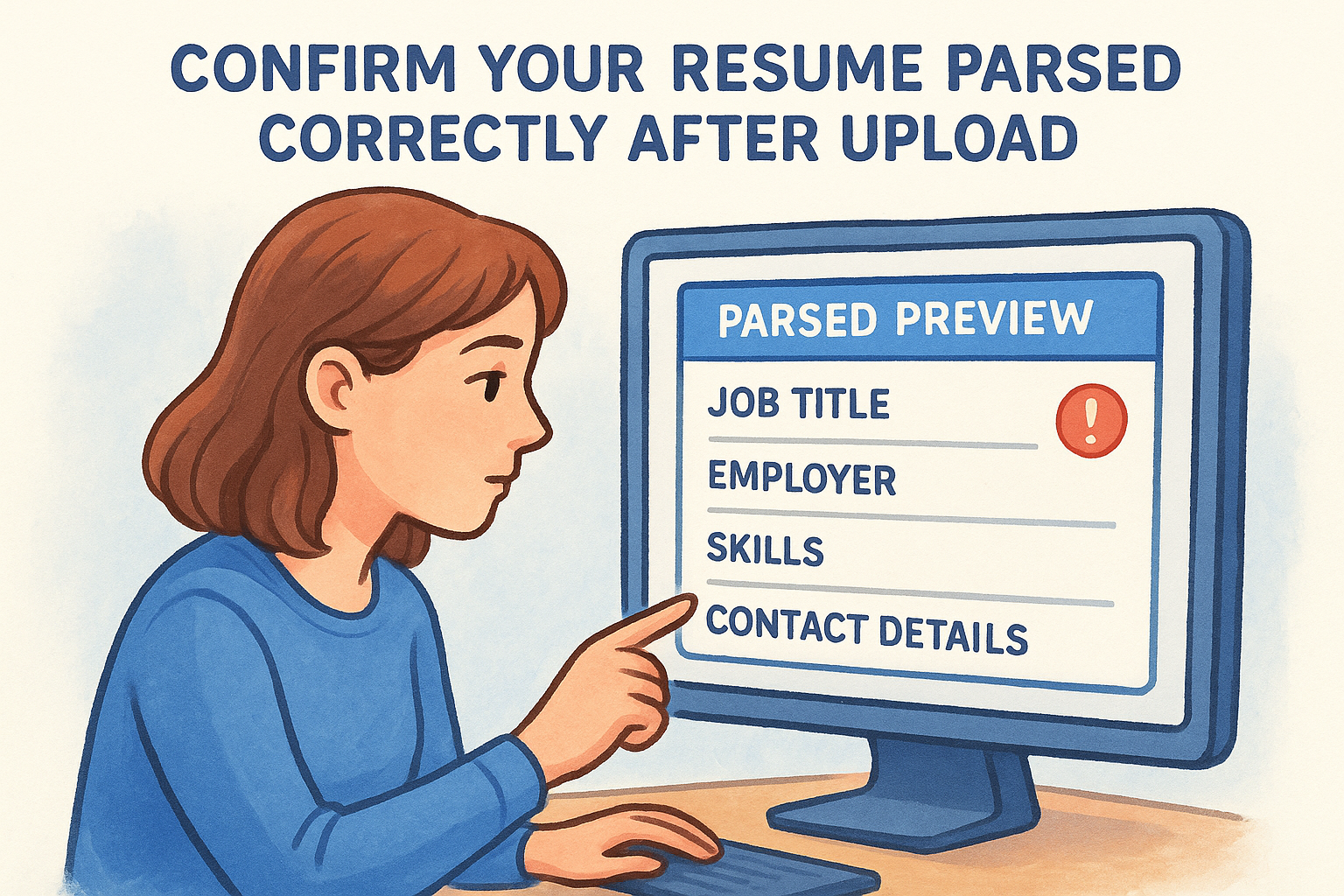
15. Confirm your resume parsed correctly after upload
Most candidates submit their application and move on without checking whether the ATS actually read their resume correctly. That is a costly assumption. Many platforms display a parsed preview of your profile immediately after upload, and reviewing that preview is one of the simplest applicant tracking system best practices you can build into your routine.
What to do
After uploading your resume, look for an option to view your parsed profile or candidate preview inside the system. Check that your job titles, employers, dates, skills, and contact details all appear exactly as you wrote them. If any field is blank, scrambled, or misattributed, edit the application form fields manually to correct the record before you submit.
Why it works in an ATS
The ATS builds your candidate profile from parsed data, not from your raw resume file. When the parsed output contains errors, your profile may be missing critical information that recruiters filter by, such as your most recent job title or years of experience. Catching those errors before submission keeps your profile complete and accurate from the moment it enters the system.
A strong resume means nothing if the parsed record attached to your name is missing half of its data.
Common mistakes to avoid
- Submitting without checking the preview screen the platform displays after upload
- Assuming a clean resume format guarantees a clean parse every time
- Ignoring fields that appear blank because you expect the recruiter to read the attached file directly
Quick example
If your parsed profile shows your current employer as blank but lists your title correctly, manually enter the employer name in the corresponding application field before clicking submit.
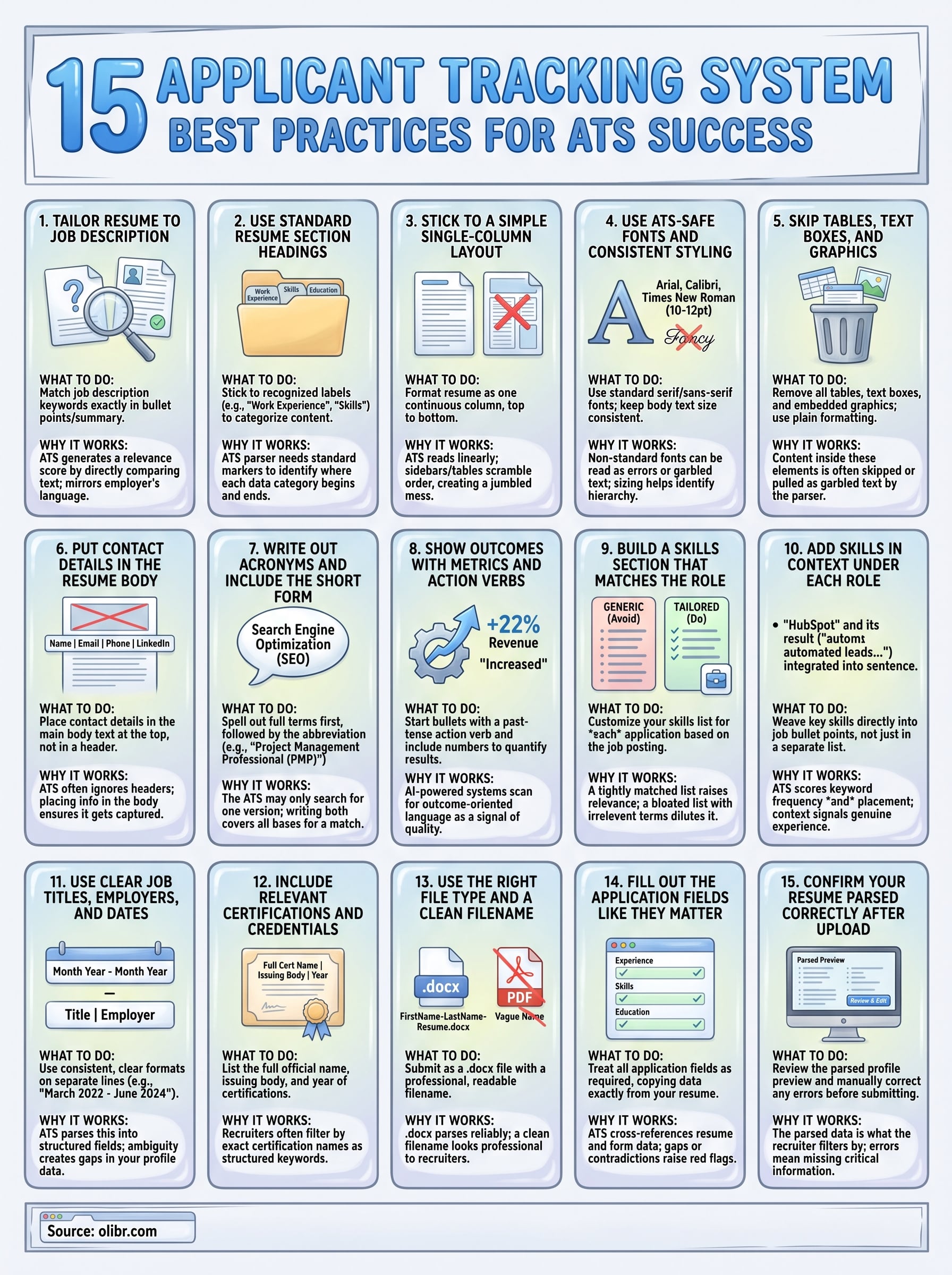
Your checklist before you click apply
Every point in this guide builds toward the same outcome: your resume reaches a recruiter instead of getting filtered out. Before you submit your next application, run through these applicant tracking system best practices one final time. Confirm your resume uses standard headings, a single-column layout, and body-placed contact details. Check that your skills section mirrors the job posting's exact language, and that certifications appear with their full official names. Verify your file is saved as a .docx with a professional filename, and review the parsed preview after upload to catch any errors before they follow your profile through the process.
Small fixes at this stage make a real difference in how the system ranks your application. If you want to see how a modern ATS actually evaluates candidates from the recruiter's side, explore how Olibr's AI-powered platform works and use that knowledge to sharpen every application you send.